


Arar - ComicViewer/TextReader
4.831.00 Reviews
App Specs
- Version
- 2.16.5
- Updated On
- License
- $4.49
- Downloads
- 10,000+
- Developer
- 마루치아라치
- Categories
- Comics
- Platform
- Android, iOS
Screenshots
 Analysis by AppCompare
So, I recently got my hands on Arar - ComicViewer/TextReader, and let me tell you, it was like diving into a whole new world of reading. If you’re into comics or just enjoy reading on your phone, this app might just be your new best friend. Let’s dive into what makes this app tick and why you might want to give it a try.
What feels appealing in the first week
The quickest reason to try Arar is the convenience of keeping several kinds of reading in one place. It is a comics app, but it also handles text, PDFs, and EPUBs, so I can imagine it earning a spot on a phone used for both illustrated stories and practical documents. The developer is 마루치아라치, and the app has been around since March 7, 2013; its current version is 2.16.5. That long history gives it the feel of a focused reading tool rather than a novelty built around a passing trend.
In the first few sessions, I would start with a small test collection rather than importing everything at once. Add one comic, one PDF, and one text or EPUB file, then check how each behaves on your screen. That simple trial helps you decide whether the controls suit your habits before you spend time organizing a large library. It also makes it easier to notice which reading mode you actually use most.
A Sleek and Intuitive Interface
First things first, the interface. When you open the app, you’re greeted with a clean and intuitive design. It’s like the app just knows what you’re looking for and delivers it without any fuss. The layout is straightforward, making navigation a breeze even for someone who’s not super tech-savvy.
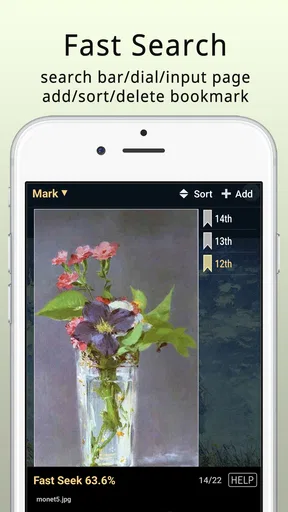
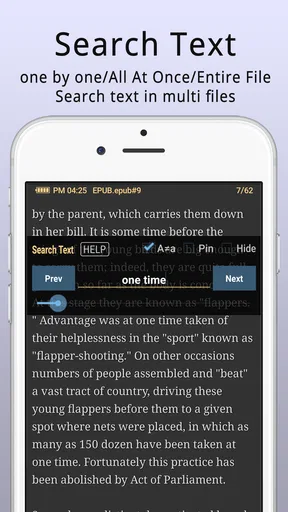
The home screen lets you easily access your library, browse new comics, or jump into a text document. And if you’re like me and have a ton of files, the search function is a lifesaver, quickly pulling up what you need without any hassle.
Customizable Reading Experience
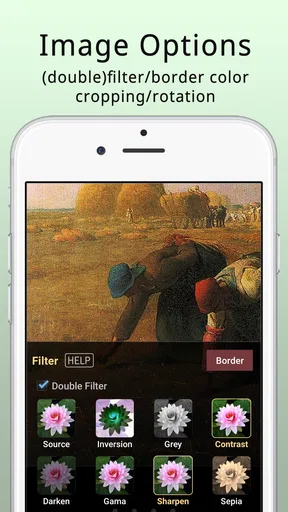
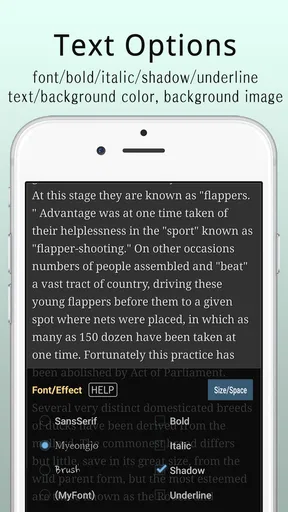
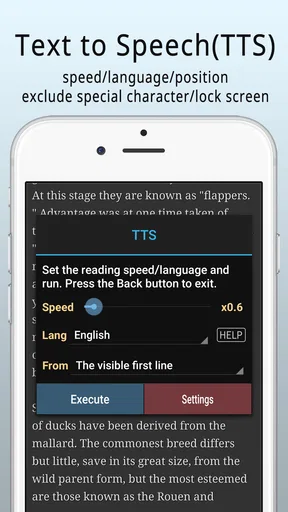
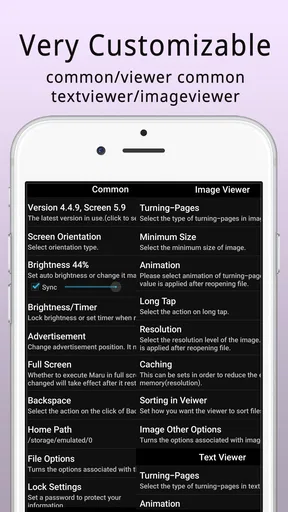
One of the standout features of this app is the customization options. Whether you’re reading a comic or a lengthy text document, you can tweak the settings to fit your personal preference. From adjusting the brightness to changing the font size and style, it’s all about making your reading experience as comfortable as possible.
For comics, the app supports various formats, so you don’t have to worry about compatibility issues. It even allows for zooming in and out with ease, which is perfect for catching those intricate details in your favorite graphic novels. The smooth page transitions add to the immersive experience, making it feel like you’re flipping through a physical book.
Worth Reading Before You Choose

Switching to Android Auto Means Rethinking Your Driving Routine

Google Calendar Makes a Crowded Week Easier to Manage

Baby Panda World Brings Quick Play to Modern Phones, but Its Game Library Feels Busy

ESPN’s Live Game View Makes Following Close Games Easier

QuizzLand Review: A Good Fit for Short Trivia Breaks, Not Every Player

Basketball Stars: Multiplayer Is Fast, but Can It Recover When Matches Go Wrong?
Seamless File Management
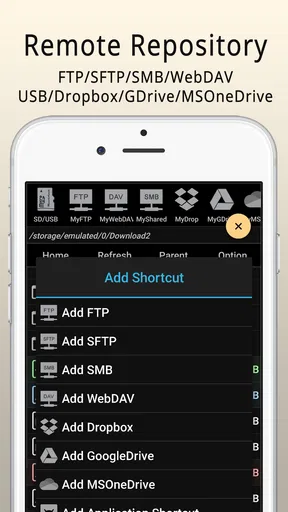
Managing your files with Arar is a walk in the park. You can effortlessly organize your comics and texts into folders, and the app supports cloud integration. This means you can sync your library across devices, ensuring that your favorite reads are always at your fingertips.
The app also packs a punch with its import/export features, allowing you to bring in files from different sources or back them up. It’s a neat feature that keeps everything streamlined, and frankly, it’s a must-have for any avid reader.
How it fits into an ordinary reading routine
A realistic use for me would be picking up a comic during a commute, then opening a PDF at home without switching apps. Zooming is useful when a speech bubble or small panel text is hard to read on a phone; for prose, adjusting the font can make a longer session feel less cramped. These are different needs, and having them under one roof is the practical advantage—not a promise that every file will look equally polished.
There is also a useful library habit to build: keep comics, reference PDFs, and text reading in clearly named folders instead of relying on a growing pile of recent files. Search is handy for locating a known title, but folders help when I want to browse by subject or mood. If you regularly move files between places, I would test the import and export routine with a duplicate first, so your original collection stays safe while you learn the workflow.
Performance and Compatibility
Now, let’s talk about performance. I’ve used the app on both Android and iOS, and it runs like a dream on both platforms. The app is lightweight, meaning it doesn’t hog your device’s resources, and I didn’t experience any lags or crashes during my time with it.
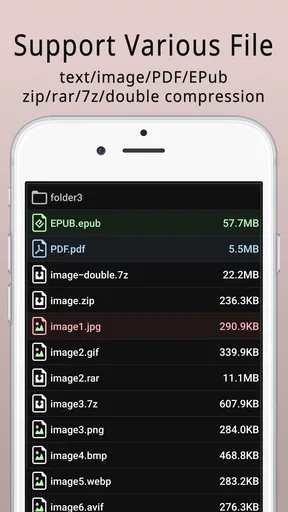
Compatibility-wise, it supports a wide range of file formats, which is a huge plus. Whether you’re dealing with PDFs, CBZs, CBRs, or plain text files, it handles them all with ease. This versatility makes it a one-stop-shop for all your reading needs.
Where it differs from single-purpose readers
Compared with a dedicated comic reader, a multi-format tool is appealing when your reading is mixed: a graphic novel one day, an EPUB or PDF the next. You avoid maintaining separate libraries and learning separate controls. The trade-off is that a specialist app may offer a more tailored browsing experience for a large comic collection, while an ebook-focused reader may be a better fit if your priority is extensive book-specific organization. I would choose this app for convenience across formats, not because one general reader must beat every specialist at its own task.
It also is not a replacement for a comic or ebook service that supplies a built-in catalogue. This is best approached as a way to read files you already have, rather than as a source for discovering or purchasing stories. If you want a ready-made subscription library, or reading features centered on social recommendations, a service designed around that purpose will suit you better.
Month-to-month value and upkeep
The app’s recurring value depends on whether it solves a repeated problem. If I open comics and documents throughout the month, having one familiar viewer can reduce small bits of friction. If I only read an occasional file, a separate free reader already on my device may be enough. Its average rating is 4.8 from around two thousand ratings, and it has over ten thousand installs, but those figures matter less to me than whether the formats and controls match my own library.
At $4.49, it is a paid app, so I would decide based on actual use rather than the appeal of a long feature list. For someone who reads comics, PDFs, and ebooks regularly, paying once for a shared place to open them may feel worthwhile. For a reader who only needs to view an occasional document, the cost is harder to justify. The Everyone age rating makes it suitable for a broad audience, though that rating is not a substitute for choosing age-appropriate reading material.
Maintenance is mostly about keeping the library tidy and understanding where imported files live. Cloud integration can help when reading across devices, but it is worth checking that the files you expect are available on the device you are using; syncing a library is not the same as making every file instantly accessible in every situation. I would keep a separate backup of important material rather than treating any single reading app as the only copy.
A Few Things to Consider
While the app has a lot going for it, there are a few areas where it could improve. For instance, the app could benefit from more advanced annotation features. While you can highlight text, having the ability to add notes or comments directly within the app would be a nice touch.
Additionally, while the app is generally user-friendly, new users might appreciate a quick tutorial or guide to help them get the most out of all the features. It’s a minor gripe, but something that could enhance the user experience even further.
Who is likely to tire of it?
The main risk is paying for breadth and then using only one part of it. If you read comics exclusively and care deeply about specialized collection tools, a dedicated comic app may be more satisfying. If your reading is mostly long-form books and you depend on a polished book-discovery or note-taking ecosystem, a dedicated ebook app is the more natural choice. The same goes for readers who prefer browser-based access to a catalogue rather than managing local files.
There is also a small adjustment cost in learning how your own folders and imported items fit together. The combination of formats is useful, but it can make the app feel less focused than a tool built for just one kind of reading. I would give it a week of ordinary use, not just a quick tour: the best test is whether I reach for it again when I have a real document or comic to read.
Final Thoughts
Overall, Arar - ComicViewer/TextReader is a solid choice for anyone looking to elevate their reading experience on mobile devices. Its user-friendly interface, robust performance, and customization options make it a standout in the crowded world of reading apps.
If you’re on the hunt for an app that seamlessly blends comic viewing and text reading, Arar could be exactly what you need. It’s versatile, reliable, and just plain fun to use. So go ahead, give it a whirl and see if it doesn’t become your go-to reading companion.
My long-term verdict
I see this as a practical keeper for readers who repeatedly switch between comics and documents, especially when file-based reading is already part of their routine. Its strongest case is not novelty but the convenience of one familiar viewer for several formats. The app’s 31 reviews add context to its broader rating, but I would still judge it by how comfortably it handles the files I actually read.
My recommendation is conditional: try it if you want a flexible reader for your own collection and are willing to spend a little time arranging that collection. Skip it if you mainly want a curated comic shop, advanced study annotations, or a specialist reader tuned to one format. For me, it earns lasting space only when I use that flexibility month after month; otherwise, a simpler alternative is enough.
Pros
- User-friendly interface for easy navigation.
- Supports a wide range of file formats.
- Fast loading times for large files.
- Customizable reading settings available.
- Offline access to downloaded content.
Cons
- Limited cloud storage options available.
- Ads can be intrusive during use.
- Occasional crashes on older devices.
- No annotation features for comics.
- Lacks a built-in dictionary tool.
FAQs for Arar - ComicViewer/TextReader
What is Arar - ComicViewer/TextReader?
Arar - ComicViewer/TextReader is a versatile app designed to enhance your comic reading experience on mobile devices. It supports various file formats, including CBR, CBZ, and PDF, allowing users to view comics and read text files seamlessly. The app aims to provide a user-friendly interface with customizable reading settings.
Is Arar - ComicViewer/TextReader free to use?
Arar - ComicViewer/TextReader offers a free version with basic features, allowing users to enjoy most of its functionalities without any cost. However, there might be premium features or ad-free experiences available through in-app purchases or a subscription model to enhance the user experience.
What file formats does Arar - ComicViewer/TextReader support?
The app supports a wide range of file formats to cater to different user needs. It can open CBR, CBZ, PDF, and standard text files, making it a versatile tool for comic lovers and those who enjoy reading text files on their devices. This flexibility ensures compatibility with most comic and text file types.
How user-friendly is the interface of Arar - ComicViewer/TextReader?
Arar - ComicViewer/TextReader is designed with a user-friendly interface that caters to both beginners and experienced users. It offers customizable reading settings such as zoom, page orientation, and background colors. The intuitive navigation and easy-to-access tools make it simple to organize and access your library efficiently.
Does Arar - ComicViewer/TextReader require an internet connection?
Arar - ComicViewer/TextReader primarily operates offline, allowing users to read downloaded comics and text files without needing an internet connection. However, an internet connection may be required for certain features like downloading new content, accessing cloud services, or performing updates within the app.


